Ask Tino.
One Mac app for films and decks. Talk it through with Tino, and the first version appears right there. When you want your hands on it, step inside.
Coming to Mac. Free during launch.
Talk it through.
Step inside.
Say what you want, the way you’d say it to a person. Bring a floor plan, a few photos or a voice memo if you have them.
Tino asks only when the brief truly forks, and at most once before the first draft.
Tino makes the first version right here, while you watch. Not a picture of a film. The film.
Another. Warmer. Shorter. Changes to the whole piece stay in the conversation. Keep what you like, undo what you don’t.
Point at a moment, and Tino offers you the room.
The card becomes the room. The light goes, the timeline rises, and the conversation comes with you.
A real timeline, with Tino beside you. Each change carries a pink line until you keep it. Work by hand, by asking, or both.
⌘[ brings you home. The card comes back changed, with Keep and Undo.
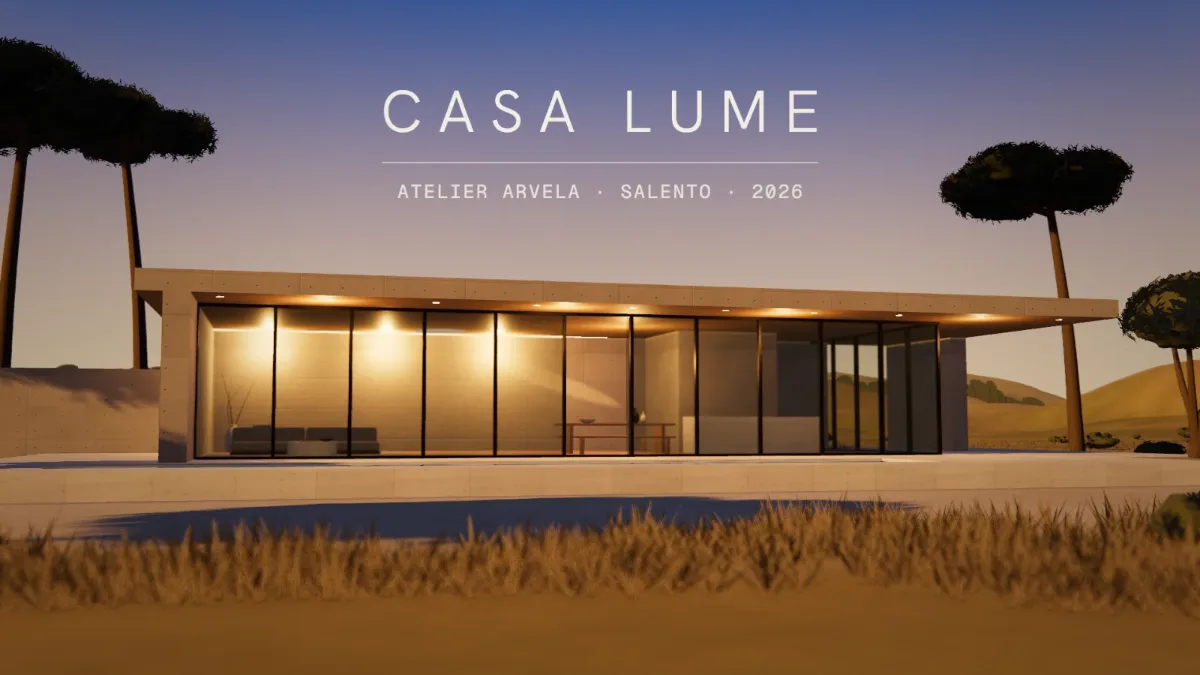
A walkthrough of Tino. You ask for a fifteen-second film about a house called Casa Lume. Tino asks one question, then makes the film in the conversation, where it plays. You ask for a warmer ending, and Tino changes it in place. Then you point at 0:09, and Tino offers to open the Movie studio. The window turns dark as the film grows into a timeline. Tino holds one shot a beat longer. Pressing Command and left bracket brings you back home, where the changed film waits with Keep and Undo.



Talk about the whole thing and it stays here. Point inside it, or open it, and you’re in the studio.
Deck
The film and the deck, one project.
“And a short deck for the brokers. Same kit.” Tino drafts it from the film, in the same conversation, with a still from each shot. Open it in Deck and the light goes again.
The Deck studioThree slides, same kit. One still each, from the film.
The same deck open in the dark Deck studio, with Tino’s pink caret in the date on the third slide.
Studios
Two studios today. Three on the way.
Movie and Deck are open now. Music, Vector and 3D are coming, inside the same app, with no new download. Tino is the same in every studio, and so is your brand.
Library
Everything it makes is a file you own.
Films, decks, stills, the things you bring and your brand kits live in one Library: a folder on your Mac.
Documents › Tino › Casa Lume
   Casa Lume film.tinomovie
   Casa Lume for brokers.tinodeck
   Stills/   Sources/   Exports/
Syncs through iCloud Drive or any synced folder. Shared volumes are coming.
About the LibraryThe Library in Tino: the Casa Lume project with its film, its decks, stills, sources and exports.
Brand kits
Your brand is the rule.
Keep your colours, type and logo in a kit. Pick it once, and Tino copies it into the project, so the film, the deck and every studio after them stay on brand.
About brand kitsNoir Atelier
Brand kit
- Noir#0F0F10
- Amber#8A5A24
- Brass#B89A62
- Bone#E9E4DA
NOIR ATELIER
Heure Ambrée. Amber, smoke and the last hour of light.
Example films
These aren’t videos.
Each film here is playing live in your browser, on the same engine as the Movie studio. Silent here; every one has its own score in the app.
See them allCasa Lume16:9 · 0:15
Deckle1:1 · 0:12
Heure Ambrée9:16 · 0:10
48 Hours in Lisbon9:16 · 0:15
Love On Loud1:1 · 0:12
Moss & Ember16:9 · 0:20